Video downloader for any site
MP4, WebM and other videos from almost any website. Hover a player and click Download, or save from the panel.
 Abducto
Coming soon to Chrome
Abducto is a free Chrome extension that finds every video, stream, song, image and file on a page and saves it in one click. HLS/M3U8 streams are saved as a single MP4 with sound.
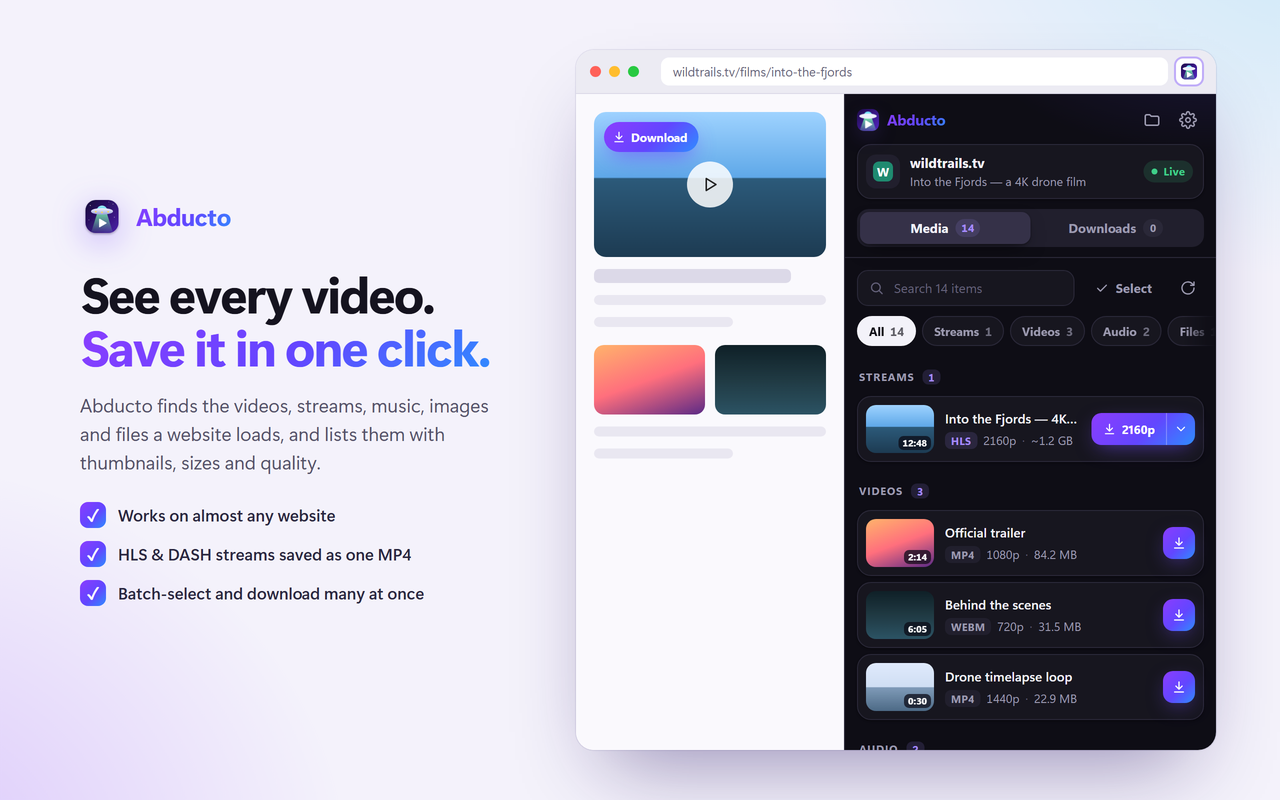
Open the side panel on any page and Abducto lists what it has loaded, grouped and labelled, with thumbnails, sizes, durations and quality.
MP4, WebM and other videos from almost any website. Hover a player and click Download, or save from the panel.
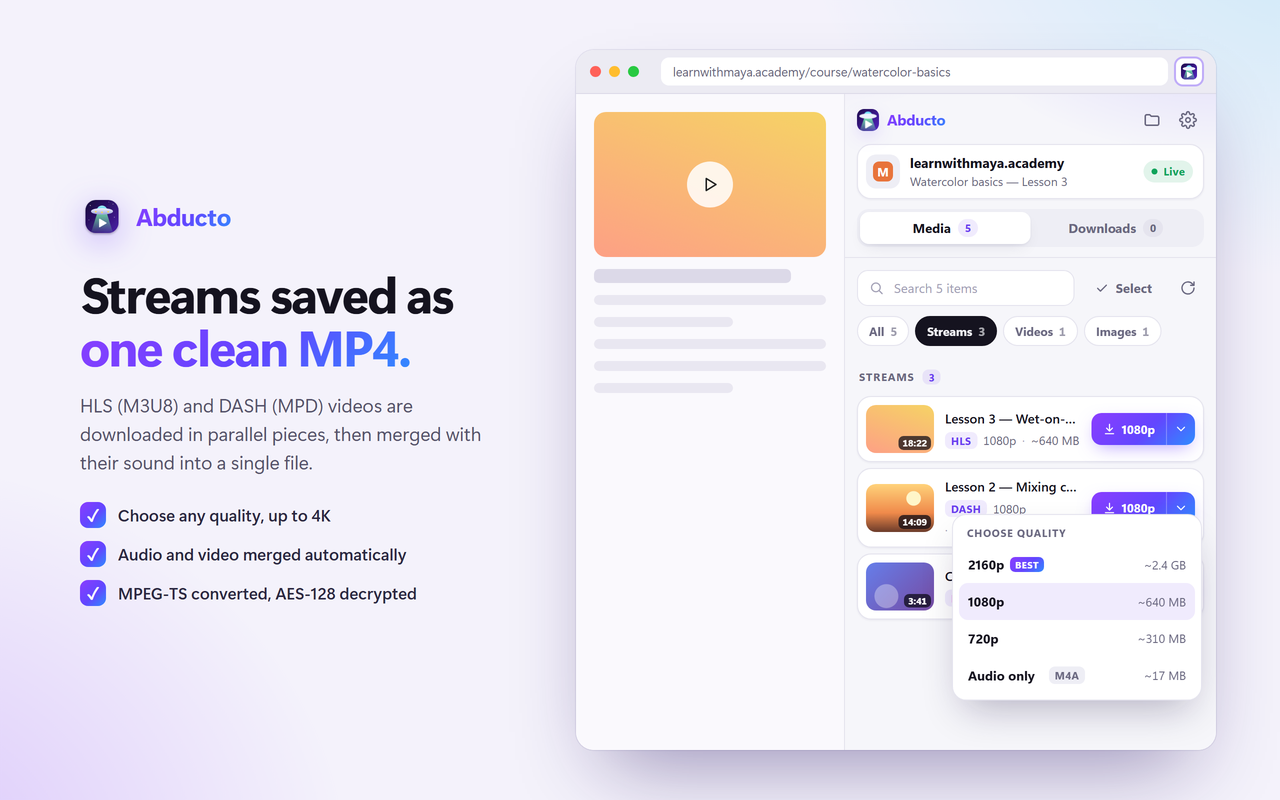
Save M3U8 and MPD streams as one MP4 with sound. Choose the quality, up to 4K.
Videos, photos, files, music, voice messages, round videos and GIFs, in original quality.
Select many items, or a whole Telegram chat, and download them together. Files can stream straight to a folder.
Reels, stories, highlights, posts and carousel slides, plus X videos and GIFs, as MP4 named after the post.
Parallel connections, pause and resume, live speed and time left, and file-name templates with a live preview.
Most sites stream video in hundreds of small pieces. Abducto reads the playlist, downloads the pieces in parallel and assembles a single MP4 you can play anywhere.
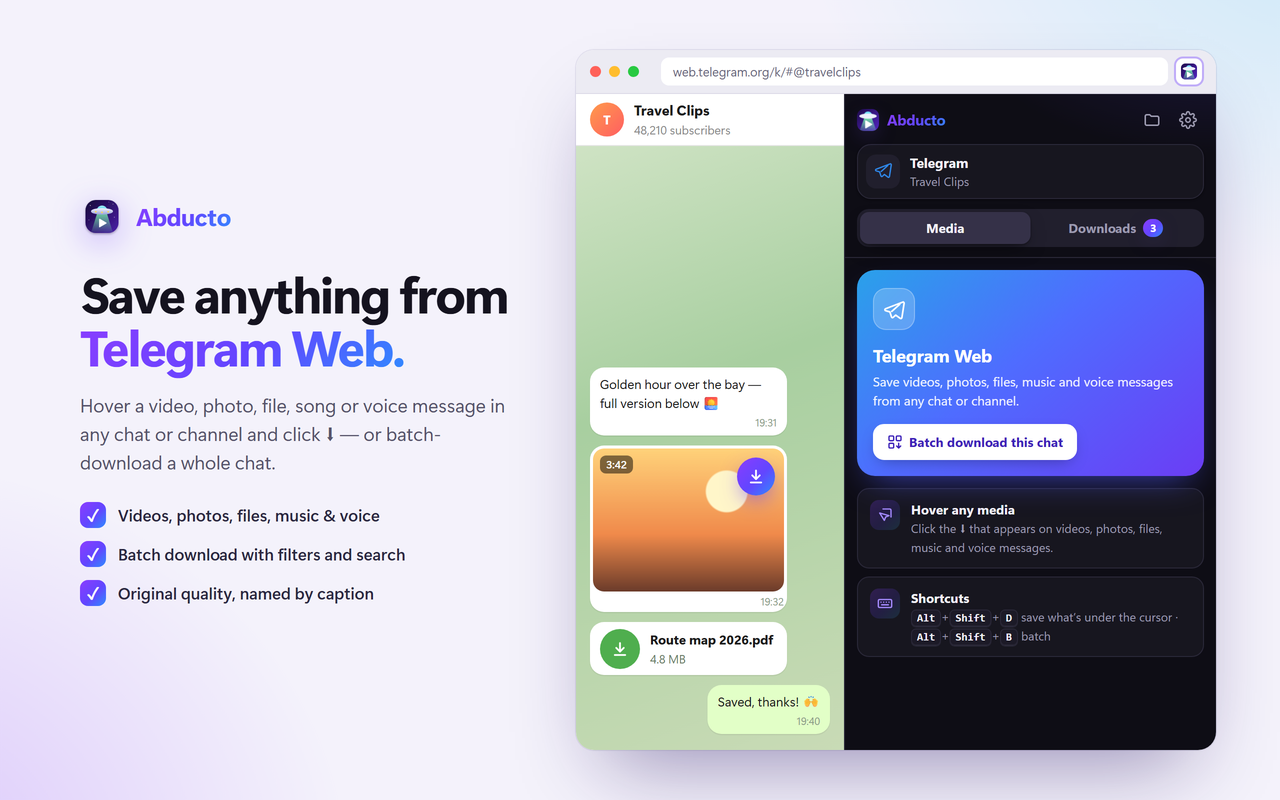
Hover any media in a chat or channel and click ⬇, or batch-download a whole chat with tabs for videos, photos, files, music, voice and GIFs.
Install it from the Chrome Web Store and pin the icon to your toolbar.
The icon’s badge shows how many videos the page has. Click it, or press Alt+Shift+M.
Pick a quality if you like. Progress, speed and time left appear in the Downloads tab.
We’d rather be clear up front.
Yes. Abducto is free to install and use, with no account and no sign-up.
Open the page, start the video and open the Abducto side panel. The stream appears under Streams. Pick a quality and Abducto downloads its pieces in parallel, merges audio and video, converts MPEG-TS segments and saves one MP4 file.
Open web.telegram.org/k, hover a video, photo, file, song or voice message and click the download button, or press Alt+Shift+D. To save many at once, use Batch (Alt+Shift+B) to list a chat’s media, filter it and download the selection.
Yes. Reels, stories, highlights, feed posts and each slide of a carousel save as one MP4 with sound. Videos and GIFs from X (Twitter) are saved as MP4 too.
No. YouTube is not supported, and neither are DRM-protected services such as Netflix, Prime Video, Disney+ or Spotify, or live streams. The panel marks protected videos instead of trying to download them.
Abducto has no account, no analytics and no servers of its own. It only connects to the sites you download from, and your settings stay in your browser. Read the privacy policy.
Many sites only load a video once it starts playing. Press play, wait a few seconds, and the video or stream appears. You can also click Scan again in the panel.
Free for Chrome on Windows, macOS, Linux and ChromeOS.
Coming soon to the Chrome Web Store